
Instagram Scraper
Export Instagram profiles, posts, followers & hashtags to CSV or JSON instantly.
Scrape and export Instagram profiles, posts, followers, following lists, hashtags, comments, and likers to CSV, JSON, HTML, or TXT — up to 5,000 items per session, all within your browser with no external servers.
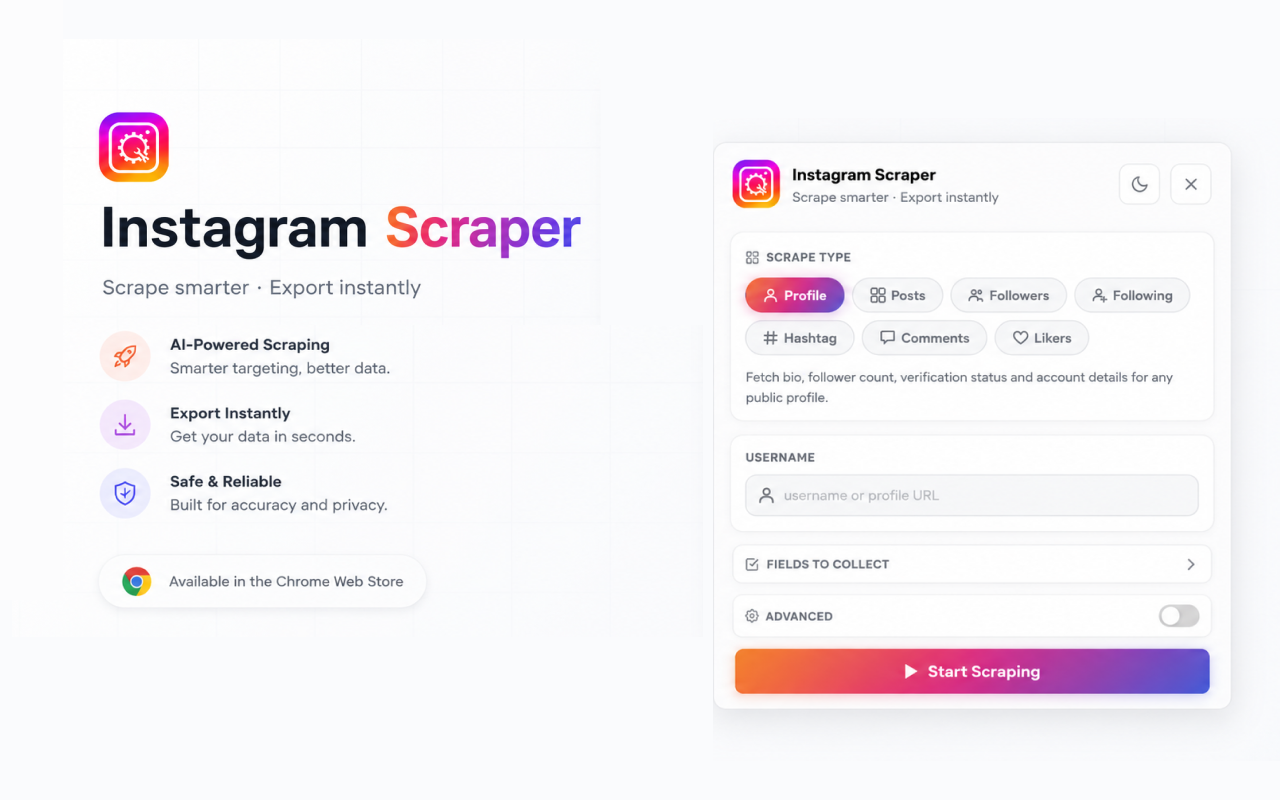
Overview
Full dashboard view of the Instagram Scraper panel.
Designed around how you actually work.
Profile extraction
Pull complete profile data — bio, follower counts, post stats, and contact info — in a single click.
Post collection
Scrape posts with captions, dates, like counts, and media URLs. Filter by date range or post type.
Followers & following lists
Export complete follower and following lists with optional filters for verified accounts and private account exclusion.
Hashtag discovery
Collect posts, metadata, and engagement stats from any hashtag page for content research or competitive analysis.
Comments & likers
Pull full comment threads and liker lists from any individual post for community and engagement analysis.
Flexible export formats
Save to CSV, JSON, HTML, or TXT with auto-named files. Supports up to 5,000 items per session with real-time progress.
Install in under a minute.
- 1
Open the Chrome Web Store listing
Search for the extension or click 'Add to Chrome' from this page.
- 2
Confirm permissions
We request the minimum surface required. Most permissions are scoped to the active tab.
- 3
Pin to your toolbar
Click the puzzle icon in Chrome and pin the extension for one-click access.
- 4
Open the side panel
Hit ⌘K (Ctrl+K on Windows) or click the toolbar icon to launch the experience.
Browser compatibility
Permissions
